The Ultimate SIHOO Ergonomic Chair Buying Guide for Australians
-
by Zayam AR
-
February 12, 2026
-
215 comments
-
8 Minutes read
-
583 views
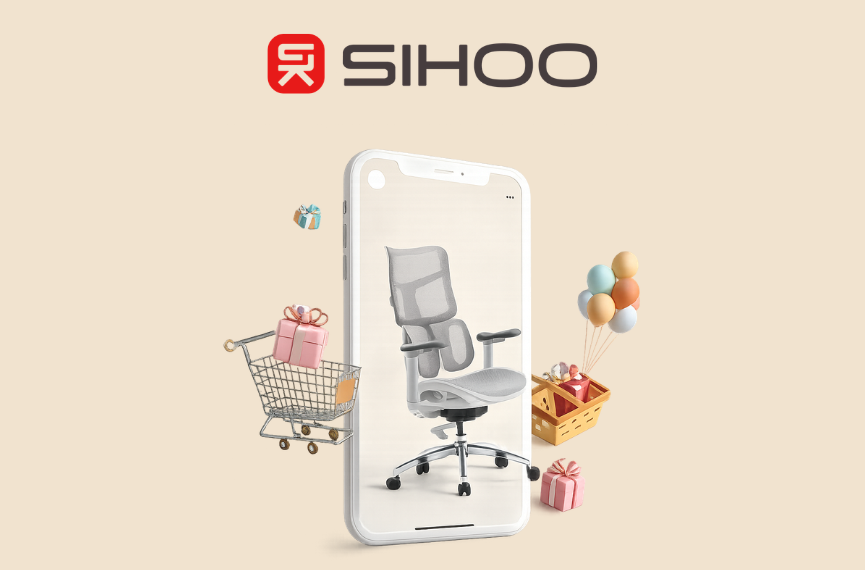
Upgrade your workspace with a SIHOO ergonomic chair. Discover M18, M57 & DORO-S300 models for better posture, comfort, and productivity.
Are you spending more time in your office chair than in your bed? For many Australians, long hours of sitting have become the norm, and so has the back pain, neck strain, and general discomfort that comes with it. A standard office chair simply isn't built to provide the support your body needs. This is where an SIHOO ergonomic chair can make a profound difference, transforming your workspace from a place of pain into a hub of productivity and comfort.
But with various models, features, and price points, choosing the right chair can feel overwhelming. This guide is here to simplify that decision. We'll walk you through the top-selling SIHOO models available in Australia, break down their key features, and help you understand which chair is the perfect fit for your body, budget, and work style. If you're ready to invest in your health and upgrade your seating, you've come to the right place.
Why Should You Invest in a SIHOO Ergonomic Chair?
Before we compare models, it's important to understand why SIHOO has become the ergonomic chair of choice for thousands of Australians. Unlike generic furniture brands, SIHOO is a specialist. For over 14 years, we have been dedicated to the science of ergonomic design, creating chairs that do more than just look good—they actively support your well-being.
Here’s what sets a SIHOO ergonomic chair apart:
-
- Scientifically-Backed Support: Every curve and adjustable component is designed to align with your spine's natural posture, reducing strain and preventing long-term injury.
- Premium, Eco-Friendly Materials: We use high-quality, durable materials that are built to last, saving you money in the long run and supporting sustainable choices.
- Modern and Sleek Aesthetics: Our chairs feature clean lines and high-tech elements that enhance any workspace, from a corporate office to a home gaming setup.
- Unbeatable Value: SIHOO delivers premium ergonomic features at a fraction of the cost of other high-end brands, making superior comfort accessible to more people.
- Scientifically-Backed Support: Every curve and adjustable component is designed to align with your spine's natural posture, reducing strain and preventing long-term injury.
Product Showdown: Finding Your Perfect SIHOO Match
Choosing the right SIHOO ergonomic chair depends on your individual needs. Let's compare some of our most popular models to help you decide.
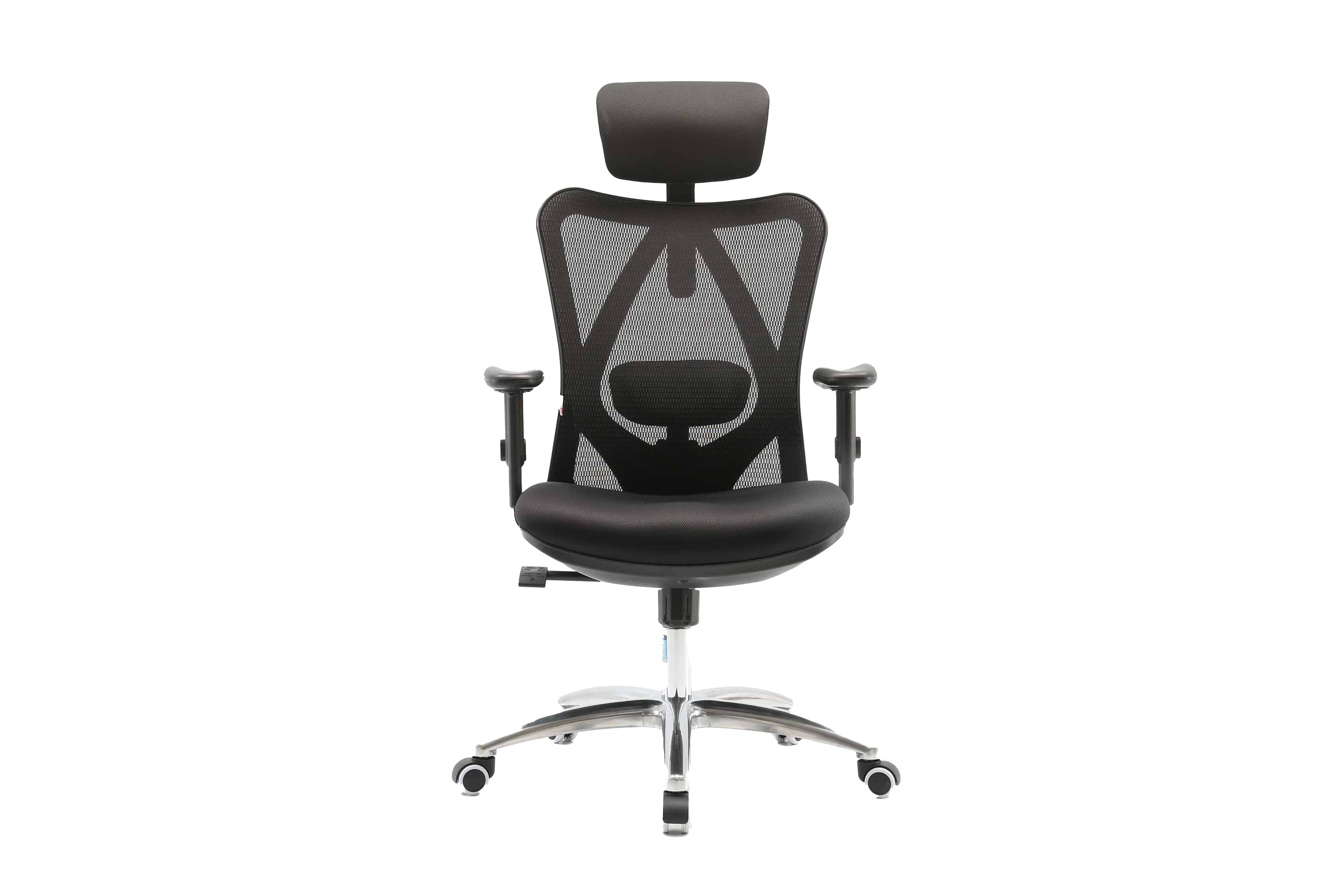
1. For the Smart Starter: The SIHOO M18 Ergonomics Task Office Chair
The M18 is our best-selling entry-level model, proving that you don’t need to break the bank to get excellent ergonomic support. It’s the perfect upgrade from a standard office chair for remote workers and students.
-
- Key Features:
- Adjustable Lumbar Support: A padded support cushion can be moved up and down to target the precise area of your lower back that needs it most.
- Breathable Mesh Back: The high-quality mesh promotes air circulation, keeping you cool and comfortable even during long work sessions.
- Recline Function: The backrest can recline up to 126 degrees, allowing you to lean back and stretch during breaks, which is crucial for preventing muscle stiffness.
- Padded Armrests: Offers comfortable support for your arms to reduce shoulder and neck tension.
- Adjustable Lumbar Support: A padded support cushion can be moved up and down to target the precise area of your lower back that needs it most.
- Who It’s Best For: The M18 is ideal for anyone seeking a significant ergonomic upgrade on a budget. It's a workhorse chair that covers all the essential bases for a healthier workday.
- Key Features:
Buy Now
Ready for reliable comfort? Explore the SIHOO M18 and enjoy our 30-day free return policy.
2. For the All-Day Professional: The SIHOO M57 Ergonomic Office Chair
The M57 is a step up in both style and adjustability, designed for professionals who spend the majority of their day seated. It offers a more tailored fit and enhanced comfort for prolonged use.
-
- Key Features:
- 3D Adjustable Armrests: These armrests can be adjusted up/down, forward/backward, and rotated, allowing you to find the perfect position to support your forearms while typing.
- Adaptive Lumbar Support: The lumbar piece automatically adjusts to the curve of your spine as you move, providing dynamic support.
- W-Shaped Seat Cushion: The high-density foam seat is shaped to reduce pressure on your hips and thighs, promoting better circulation.
- Adjustable Headrest: Provides crucial support for your neck and head, especially when reclining.
- 3D Adjustable Armrests: These armrests can be adjusted up/down, forward/backward, and rotated, allowing you to find the perfect position to support your forearms while typing.
- Who It’s Best For: The M57 is perfect for remote workers, managers, and creatives who need a highly adjustable chair that looks as good as it feels. Its balance of features makes it our most popular all-rounder.
- Key Features:

Buy Now
Elevate your workday. Discover the SIHOO M57 and find your perfect balance of style and support.
3. For the Ergonomic Enthusiast: The SIHOO DORO-S300 Ergonomic Office Chair
The DORO-S300 represents the pinnacle of SIHOO’s engineering. It incorporates cutting-edge technology and premium materials for an unparalleled seating experience. This is the chair for those who demand the absolute best in ergonomic performance.
-
- Key Features:
- Anti-Gravity Mechanism: This advanced system, crafted from aerospace-grade glass fiber, allows for effortless and smooth reclining, making you feel almost weightless.
- Dynamic Lumbar Support: The dual-winged lumbar support flexes and pivots to follow your body's movements, providing constant and complete support to your entire lower back.
- Coordinated Support System: The backrest and seat are linked, ensuring that your entire body remains perfectly supported in any reclined position.
- Waterfall Seat Edge: The front edge of the seat is softly curved to relieve pressure behind the knees, further enhancing circulation.
- Fully Adjustable 4D Armrests: Offers the maximum range of motion to support your arms in any task, from typing to gaming.
- Anti-Gravity Mechanism: This advanced system, crafted from aerospace-grade glass fiber, allows for effortless and smooth reclining, making you feel almost weightless.
- Who It’s Best For: The DORO-S300 is for the discerning user—the executive, the dedicated gamer, or anyone who understands that investing in a high-performance chair is investing in their long-term health and focus.
- Key Features:

Buy Now
Experience the future of seating. Check the price of the SIHOO DORO-S300 today.
Making the Right Choice: A Buyer’s Consideration Checklist
To select the best SIHOO ergonomic chair, work through this simple checklist:
-
How many hours will you be sitting?
-
- Up to 4 hours/day: The SIHOO M18 provides excellent foundational support.
- 4-8 hours/day: The SIHOO M57’s enhanced adjustability will provide greater comfort.
- 8+ hours/day: The SIHOO DORO-S300’s dynamic system is designed for marathon sessions.
-
What are your main activities?
-
- General Office Work: The M18 or M57 are fantastic choices.
- Intense Focus/Creative Work: The M57 or DORO-S300 offers superior adjustability to keep you comfortable and focused.
- Gaming: The DORO-S300's deep recline and full-body support are ideal for gaming.
- General Office Work: The M18 or M57 are fantastic choices.
-
What is your budget?
-
- SIHOO offers a tiered pricing structure to ensure there is an ergonomic solution for everyone. Remember to consider the long-term value—a durable, supportive chair prevents future health costs and productivity loss.
Pros and Cons of Upgrading Your Chair
An informed decision considers all angles. Here’s an honest look at what to expect.
Pros
-
- Significant Pain Reduction: A properly adjusted ergonomic chair can dramatically reduce or eliminate back, neck, and shoulder pain.
- Increased Productivity: When you aren't distracted by discomfort, you can focus better and for longer periods.
- Long-Term Health Investment: Good posture prevents chronic musculoskeletal issues down the line.
- Modern Workspace Aesthetic: SIHOO chairs are designed to elevate the look of your office or home setup.
- Durable and Cost-Effective: Built to last for years, an SIHOO chair is a one-time purchase that saves you from replacing cheap chairs annually.
- Significant Pain Reduction: A properly adjusted ergonomic chair can dramatically reduce or eliminate back, neck, and shoulder pain.
Cons
-
- Initial Cost: A high-quality ergonomic chair is an investment. The upfront cost is higher than a basic office chair from a big-box store.
- Adjustment Period: It can take a few days to find the perfect settings for your body. This "dialing-in" process is crucial for reaping the full benefits.
- Initial Cost: A high-quality ergonomic chair is an investment. The upfront cost is higher than a basic office chair from a big-box store.
Frequently Asked Questions (FAQs)
Are SIHOO chairs hard to assemble?
No. Every SIHOO ergonomic chair comes with clear, easy-to-follow instructions and all the tools required. Most customers have their chair assembled in 20-30 minutes.
What is the warranty and return policy in Australia?
We stand by our quality. All SIHOO chairs come with a 3-year warranty for peace of mind. We also offer a 30-day free return policy, so you can try your chair risk-free.
Are these chairs suitable for very tall or short people?
Yes. Our chairs are designed to accommodate a wide range of body types. Models like the DORO-S300 and M57 offer extensive height, seat depth, and armrest adjustments, making them suitable for most users.
How do I clean and maintain my SIHOO chair?
For mesh surfaces, a vacuum cleaner with a brush attachment works well. For fabric seats and other components, a damp cloth with a mild detergent is usually sufficient.
Can I try a SIHOO chair before I buy it?
While we are primarily an online retailer in Australia, our 30-day free return policy allows you to try the chair in your own home or office. If you're not completely satisfied, you can return it for a full refund.
Your Best Work Starts with Your Best Seat
Your chair is the most important tool in your workspace. Choosing to continue with a seat that causes you pain and distraction is a choice to limit your potential. Upgrading to a SIHOO ergonomic chair is an investment in your comfort, your health, and your productivity. With options for every budget and need, the perfect chair is waiting for you.
Ready to transform the way you work, play, and feel?
Browse the full collection of SIHOO ergonomic chairs now and take the first step towards a healthier, more comfortable workday.
POPULAR BLOGS



Hot categories
Comment:
Your email address will not be published. Required fields are marked *